- BitMedic Newsletter
- Posts
- Tired of Writing Down Passwords?
Tired of Writing Down Passwords?
(The One Password You'll Never Want to Forget)

BitMedic Support
June 10, 2025

Photo by rc.xyz NFT gallery on Unsplash
In today's increasingly digital world, managing a multitude of online accounts – each requiring a password – has become a common, yet often overwhelming, task. For older generations embracing technology, ensuring online safety and convenience is paramount. This article explores password managers, tools designed to simplify and secure digital life, with a special focus on understanding their benefits and drawbacks, and an introduction to a trustworthy option that we use ourselves.
1. Introduction: Your Digital Keys – Understanding Password Managers
Imagine having a trusted keeper for all the different keys needed for various online accounts, from banking and shopping to email and social media. A password manager is essentially that: a digital tool designed to securely store and manage all these login credentials. Instead of trying to remember dozens of different, complex passwords, or resorting to the risky habit of using the same simple password for multiple sites, a password manager remembers them all. Users only need to recall one single, strong "master password" to unlock access to their entire collection of stored passwords.
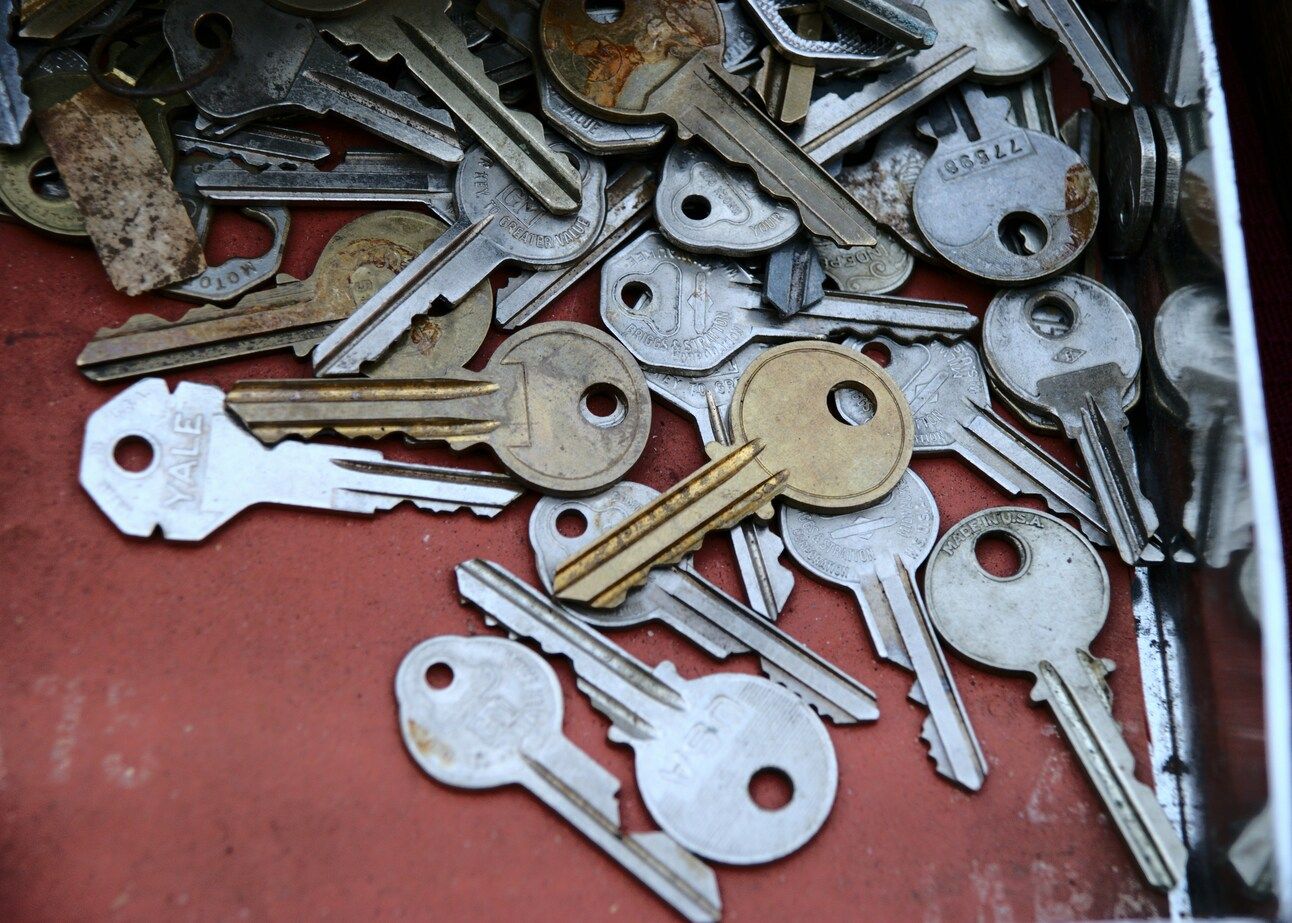
Photo by Samantha Lam on Unsplash
The relevance of password managers to technology safety cannot be overstated. With cyber threats becoming more sophisticated, using strong, unique passwords for each online account is one of the simplest and most effective ways to stay safe online. However, the sheer number of accounts most individuals have makes this a daunting task without assistance. This is where password managers step in, offering a practical solution to a widespread digital challenge, transforming a potential source of anxiety into a more manageable aspect of online life.
2. The Bright Side: Wonderful Benefits of Using a Password Manager
Password managers offer a suite of advantages that can significantly enhance online security and user experience.
Stronger Locks for Your Digital Doors (Enhanced Security)
One of the primary benefits is the ability to use extremely strong and unique passwords for every online account. Password managers can generate these complex passwords – often long strings of random characters, numbers, and symbols – which are very difficult for cybercriminals to guess or crack. Users no longer need to devise these complex credentials themselves; the manager handles this task, significantly reducing the risk associated with weak, reused, or easily guessable passwords, a common vulnerability that puts personal information at risk. This addresses a common concern about how to make passwords sufficiently robust.
So Convenient! No More "Oops, I Forgot My Password!" Moments Password managers offer remarkable convenience by remembering all stored passwords and often automatically filling in login fields on websites and apps. This autofill capability eliminates the frustration of forgotten passwords and the time-consuming process of password resets. This convenience is a major draw, particularly for individuals who find the constant recall of numerous passwords to be a significant burden.
Everything in One Tidy Place: Centralized and Organized All login credentials – usernames and their corresponding passwords – are stored in a single, secure, and encrypted digital "vault". This centralized storage keeps everything organized and easily accessible (though the need to manually look up passwords diminishes with autofill features). For many, the appeal of having digital keys neatly arranged in one secure location contrasts sharply with the potential chaos of scattered written notes or reliance on memory.
Extra Shield Against Scammers: Spotting Fake Websites Some password managers can offer an additional layer of protection against phishing attempts. Phishing involves tricking individuals into entering their credentials on fake websites that mimic legitimate ones. Because a password manager often associates a stored password with a specific, authentic website address, it may not offer to autofill the credentials if it detects that the current website is not the legitimate one. This lack of an autofill prompt can serve as a valuable warning sign, particularly helpful for users who might be targeted by such deceptive online scams.
The synergy between enhanced security and increased convenience creates a virtuous cycle. When robust security practices are made easy to implement, individuals are more likely to adopt them. Password managers achieve this by automating the creation and recall of strong, unique passwords and streamlining the login process with autofill. Consequently, users can achieve a higher level of online safety without an added mental load, transforming password management from a dreaded chore into a seamless background operation that supports a safer and less stressful digital experience.

Photo by Cookie the Pom on Unsplash
3. Things to Keep in Mind: A Balanced Look at Password Managers
While password managers offer significant advantages, it's important to approach them with a clear understanding of certain considerations.
The Main Key: The Importance of Your Master Password
Access to the password manager's vault, containing all stored credentials, is protected by a single "master password". This master password acts as the ultimate key to this digital safe. If an unauthorized person gains access to this master password, they could potentially unlock the vault and access all the passwords stored within. This is often referred to as a "single point of failure." Therefore, creating an exceptionally strong master password and keeping it absolutely secret is of critical importance.
Trusting Your Helper: Reliance on the Password Manager's Security Using a password manager involves entrusting sensitive password data to the provider of the service. This means relying on the security measures implemented by the password manager company to protect the vault from external threats like hackers. Reputable password managers employ strong encryption techniques to safeguard user data, a topic that will be explored further.
A Little Something New to Learn: Potential Learning Curve As with any new technological tool, there may be an initial learning period to become comfortable with setting up and using a password manager. While many are designed with user-friendliness in mind, some initial effort may be required. However, resources such as online guides and articles like this one are available to help new users navigate this phase.
Taking Your Passwords With You: Data Portability A consideration for long-term use is the ability to transfer stored passwords if a user decides to switch to a different password manager service. Generally, this is possible, and many password managers, particularly open-source options, facilitate the export of password data in an encrypted format, which can then be imported into a new service.
Password Protection Isn't Everything It's also crucial to remember that while password managers are excellent tools for securing passwords, they do not offer protection against all types of online threats. For instance, they cannot prevent malware infections if a user clicks on a malicious link or downloads a compromised file, nor do they inherently block all phishing emails. Maintaining good overall online safety habits remains essential.

Photo by Siarhei Palishchuk on Unsplash
The "single point of failure" represented by the master password and the necessary reliance on the provider's security are valid concerns. Centralizing all passwords makes the vault a high-value target for attackers and the master password a critical vulnerability. Addressing these concerns effectively involves not downplaying the risks, but rather empowering users with the knowledge and tools to mitigate them. This includes guidance on creating a very strong master password and selecting a reputable and transparent password manager provider, such as an open-source option. Acknowledging these considerations fosters a balanced perspective and sets the stage for making informed choices.
To summarize, here's a quick overview:
Table 1: Password Managers: The Good and The Not-So-Good
What's Great About Them (Pros) | Things to Be Aware Of (Cons) |
Creates very strong, unique passwords for all accounts | The one master password is key to everything |
Remembers all passwords so users don't have to | Users need to trust the password manager company's security |
Fills in login details automatically – so convenient! | Might take a little time to learn how to use |
Keeps all passwords neatly organized in one place | Doesn't protect against all online threats like phishing |

Photo by Markus Spiske on Unsplash
4. A Trustworthy Helper: Understanding "Open-Source" (and enter Bitwarden)
When choosing a digital tool to manage something as sensitive as passwords, trust is paramount. Understanding concepts like "open-source" can help in making an informed decision.
What "Open-Source" Means, in Clear and Simple Terms:
Software, at its core, is a set of instructions that tells a computer program how to function. The "source code" is the human-readable version of these instructions. "Open-source" software is software for which this source code is made freely available for anyone to view, inspect, modify (under certain licensing terms), and distribute.
An analogy might be a community cookbook where all the recipes (the source code) are shared openly. Anyone can look at these recipes, check them for accuracy and safety (which is akin to security audits in software), and even suggest improvements or variations (similar to community contributions to open-source projects).
The key benefits of open-source for building trust are:
Transparency: Because the source code is open to public scrutiny, it is much harder for any undesirable or unsafe elements to be hidden within the software. This transparency fosters trust, as users and experts can verify what the software is doing.
Community Auditing: Security experts, developers, and interested individuals from around the globe can examine the source code for potential weaknesses or vulnerabilities and contribute to fixing them. Many open-source projects, including Bitwarden, also undergo formal third-party security audits to further validate their security.
For individuals who may be cautious about adopting new digital tools, particularly for managing sensitive information, the "openness" of open-source software can be a significant trust-builder. It contrasts with proprietary "black box" software where the inner workings are not visible, offering a level of assurance that the tool is operating as intended and without hidden compromising features.
Why Bitwarden is Considered a Great Choice:
Bitwarden is a widely respected password manager that operates on an open-source model. This foundation contributes significantly to its reputation for security and trustworthiness.
Checked for Safety (Audited Code):
As an open-source tool, Bitwarden's source code is publicly available for review. Furthermore, Bitwarden regularly commissions independent security firms to conduct thorough audits of its code and systems to identify and address potential vulnerabilities. For example, a 2018 assessment by Cure53, a reputable security firm, yielded "rather positive" results for Bitwarden's security. This external validation can be very reassuring.
Works Everywhere (Cross-Platform Availability):
Bitwarden is designed to work seamlessly across a wide range of devices and platforms. It offers applications for desktop computers (Windows, macOS, Linux), mobile devices (smartphones and tablets running iOS or Android), and browser extensions for popular web browsers like Chrome, Firefox, and Edge. This means that stored passwords can be accessed securely wherever they are needed, which is particularly beneficial for individuals who use multiple devices.
Top-Notch Security (Strong Encryption Standards):
Bitwarden employs robust security measures to protect user data. It uses strong encryption standards, specifically AES-256 bit encryption, which is a globally recognized standard used by banks and governments to protect highly sensitive information. Critically, Bitwarden operates on a "zero-knowledge" encryption model. This means that all data is encrypted and decrypted locally on the user's device, and Bitwarden itself never has access to the unencrypted passwords. Even Bitwarden employees cannot see or access a user's stored passwords, directly addressing concerns about provider access to sensitive data.
Free and Full of Features (Robust Free Tier):
A significant advantage of Bitwarden is its generous free plan. This free tier provides all the core features necessary for most individual users, including the ability to store an unlimited number of passwords and use the service on an unlimited number of devices. This removes cost as a barrier to entry, allowing individuals to fully experience the benefits of a comprehensive password manager without any financial commitment. This "try it for free" aspect is an empowering feature, allowing users to explore and gain confidence with the technology at their own pace.
User-Friendly Interface:
While some reviews note that Bitwarden's desktop application might present a slightly steeper learning curve or appear less polished than some commercial alternatives, its browser extensions and mobile applications are generally regarded as more intuitive and easier to navigate. Since the browser extension is the primary point of interaction for features like autofill, this is a significant plus. With a bit of initial guidance, the interface is manageable, and its simplicity can be an advantage.
Why Bitwarden's Free Plan is a Great Start:
Stores all passwords (unlimited!)
Works on computers, phones, and tablets (unlimited devices)
Helps create new, super-strong passwords
Offers basic two-step login for extra safety
Lets users securely share a few passwords with one other person (in a free organization)
And it’s completely free to use these core features!


5. Ready to Get Started? Your First Steps to Easier, Safer Logins
Considering a password manager is a proactive step towards enhancing online safety and convenience. For individuals who find password management challenging or are concerned about their digital security, exploring such a tool is highly recommended.
Bitwarden stands out as a commendable starting point due to its open-source foundation which fosters trust, its strong security protocols, a comprehensive free plan that covers all essential needs for individual users, and user-friendly options, particularly its browser extensions.
Creating Your Super-Secret Master Password: The Most Important Step! The master password is the single key to the Bitwarden vault. It must be both strong and memorable.
Tip 1: Think "Passphrase," Not Just "Password." Instead of a short, complex jumble of characters that's hard to recall, a longer passphrase composed of several random, unrelated words is often easier to remember and significantly stronger. For example, a passphrase like "OrangeKittenSingingLoudlyWindow" or Bitwarden's own example, "12 gallons of horseshoe berries," can be very effective. Aim for at least four to five random words.
Tip 2: Make it Unique. This master password must be brand new and never used for any other account.
Tip 3: Add Some Spice (Optional but Good). While a long, random passphrase is often sufficient, some users may feel more comfortable adding a mix of uppercase and lowercase letters, numbers, or symbols. A password of at least 15 characters incorporating this mix is generally considered very strong.
Tip 4: Test Its Strength. Bitwarden provides a free password strength testing tool on its website, which can be used to assess the robustness of a potential master password.
Crucial Warning:
It is absolutely vital to understand that Bitwarden operates on a "zero-knowledge" security model. This means Bitwarden employees and systems have no knowledge of, way to retrieve, or way to reset a user's master password if it is forgotten. Therefore, the user must remember this master password or have it stored securely in a way they can access it. This "cannot reset" feature is fundamental to Bitwarden's security promise but places full responsibility for the master password on the user. Keep your offline vault exports and master password locked up in a safe place.
Keeping Your Master Password Under Lock and Key (Safely!) - Your Secret Backup:
Given the critical nature of the master password and the inability to reset it if lost, having a secure offline backup is essential.
The Golden Rule:
The master password should NOT be stored digitally on the same computer or device where the password manager is used, especially not in an unsecured file.
Best Option: Write It Down and Store It Securely Offline.
The master password should be written clearly on a piece of paper. This paper must then be stored in a very safe, private, physical location. Sensible options include:
A locked drawer or a personal safe at home.
A sealed envelope given to a highly trusted family member or friend, with clear instructions about its importance and when it might be needed.
A safe deposit box at a bank, though access is limited to banking hours. Obvious hiding places should be avoided.
Optional:
Bitwarden allows users to set up a master password hint during account creation. If used, the hint should be something that jogs the user's memory only and does not reveal the password itself.
The advice on creating a strong, memorable master password and, equally importantly, storing it securely offline, is the most critical actionable information. Success in these two areas is paramount to successfully and securely using a password manager like Bitwarden.

Photo by appshunter.io on Unsplash
Simple Steps to Sign Up for Bitwarden
Getting started with Bitwarden involves a straightforward process, as outlined:
Navigate to the official Bitwarden website (Bitwarden.com).
Click on the "Get Started" button, usually found in the top right corner.
Enter the required information: email address, name, and the strong, unique master password that was just created. Re-type the master password for confirmation.
Optionally, a master password hint can be added at this stage.
Review and agree to the terms of service, then submit the form.
Bitwarden will send a verification email to the provided email address. Open this email and click the verification link.
Once verified, users can log in to their new Bitwarden account and begin exploring their secure vault. It is also highly recommended to download and install the Bitwarden browser extension for the web browser used (e.g., Chrome, Edge, Firefox) and the Bitwarden mobile app for smartphones or tablets to ensure seamless access and autofill capabilities across all devices.
Many individuals understand the importance of strong passwords but may not implement best practices due to perceived difficulty. By providing specific techniques like the passphrase method for master password creation and clear, step-by-step instructions for setting up Bitwarden , the aim is to bridge this "knowing-doing" gap, making it easier to translate good intentions into effective security practices.
Need a Little More Help or Want to Learn More?
For those seeking additional guidance or wishing to explore more advanced features:
BitMedic:
This BitMedic newsletter (not to be confused with Bitwarden) will continue to offer tips and articles on various aspects of online safety. If you’re reading this from the web, make sure you’re signed up for the email newsletter as well 😀 Call us at (360) 975-4748 if you have any questions or concerns.
Bitwarden's Own Help:
Bitwarden provides extensive support resources, including detailed help guides, frequently asked questions, and a community forum on its official website (accessible via bitwarden.com/help/ or bitwarden.com/contact/). These resources can be invaluable for troubleshooting or learning more about specific functionalities.
6. A Final Word of Encouragement
Learning to use any new piece of technology can take a little time and patience. However, the substantial benefits that a password manager like Bitwarden offers—enhanced online security, reduced stress from forgotten passwords, and greater overall peace of mind—are well worth the initial effort.
We encourage you to approach this one step at a time. If questions arise or assistance is needed, consulting the resources and information provided by BitMedic and Bitwarden, can make the process smoother. Again, call us if you get stuck!
BitMedic Support ~~ +1 (360) 975-4748
Taking control of digital security is an empowering step, and tools like password managers are designed to make that journey significantly easier and safer.
- Elijah
P.S. Thank you for reading. We wish you the best of luck. Have fun!
7. Sources
Age UK. (n.d.). Password security. https://www.ageuk.org.uk/information-advice/work-learning/technology-internet/password-security/
Binary IT. (n.d.). The Pros and Cons of Using a Password Manager. https://binaryit.com.au/pros-and-cons-of-password-manager/
Bitwarden. (n.d.). An introductory guide on how to use Bitwarden password manager. https://bitwarden.com/blog/an-introductory-guide-on-how-to-use-bitwarden-password-manager/
Bitwarden. (n.d.). Get Started with Bitwarden: Individual User. https://bitwarden.com/help/get-started-individual-user/
Bitwarden. (n.d.). Password Manager Plans. https://bitwarden.com/help/password-manager-plans/
CyberInsider. (n.d.). Bitwarden Review. https://cyberinsider.com/password-manager/reviews/bitwarden/
Keeper Security. (n.d.). What Is a Passphrase Generator? https://www.keepersecurity.com/features/passphrase-generator/
LastPass. (n.d.). Password Generator. https://www.lastpass.com/features/password-generator
National Cyber Security Centre. (n.d.). Password managers. https://www.ncsc.gov.uk/collection/top-tips-for-staying-secure-online/password-managers
Open Source at Penn State. (n.d.). What Is Open Source Software? https://opensource.psu.edu/project/what-is-open-source-software/
Password Bits. (2023, August 9). How to Hide Your Master Password So You Never Forget It. https://passwordbits.com/hide-master-password/
TechRepublic. (2024, February 21). Bitwarden review: A password manager with a focus on security and privacy. https://www.techrepublic.com/article/bitwarden-review/
TerraBella Senior Living. (n.d.). How to Choose a Strong Password for Older Adults. https://terrabellaseniorliving.com/senior-living-blog/how-to-choose-a-strong-password-for-older-adults/
Wikipedia. (n.d.). Open source. https://en.wikipedia.org/wiki/Open_source